Airbnb Message Templates: 15 Copy-Paste Examples for Hosts
Great communication is the difference between a four-star review and a five. Below are ready-to-use message templates for every stage of a guest stay - copy them, make them yours, and stop rewriting the same messages from scratch. First, a quick word on why this matters more than most hosts think.
Why guest communication makes or breaks your reviews
Guests rarely complain about a missing teaspoon. They complain about not knowing where to park, waiting an hour for the door code, or feeling ignored. Almost every bad review traces back to a communication gap, not the apartment itself.
Good communication does three things at once:
- It removes friction. A guest who knows exactly how to get in, where to park, and when to leave has nothing to be anxious about - and anxious guests leave nervous reviews.
- It sets expectations. If you state check-out is 11:00 AM up front and remind them the night before, you avoid the awkward late-checkout conversation entirely.
- It signals you care. A warm welcome message and a few local tips make a guest feel hosted, not processed. That feeling is what they describe in the review.
Why you should template and automate it
Here is the thing: the messages above are the same for almost every guest. Only the name, dates and property change. Typing them fresh each time is slow, and worse, it is inconsistent - you forget the parking note for one guest, the wifi password for another.
Templates fix that. You write each message once, with placeholders for the details, and the system fills in the rest. The benefits compound:
- Speed. Response time is one of the few things platforms measure directly. A two-tap reply beats a five-minute typing session every time.
- Consistency. Every guest gets the parking note, the door code, the check-out time. Nothing slips.
- Less mental load. You stop holding "did I send the check-in info?" in your head. The template is the checklist.
The 15 templates every host should have
Use these as a starting point. Replace the bracketed parts with your details. Where you see {guestName} or {propertyName}, those are placeholders a tool like Hosta fills in automatically.
Right after a booking comes in
Why: instant reassurance. The guest just paid - confirming quickly tells them they're in good hands and sets the tone.
A few days before arrival
Why: opens a friendly channel and quietly collects the arrival time you need to plan around.
The morning of arrival
Why: the single most important message you send. Everything a guest needs to get in, in one place, so you're not answering panicked messages at 11 PM.
The day before, if you haven't heard from them
Why: nudges silent guests to share an arrival time, which saves you a wasted trip or a missed handover.
A couple of hours after check-in
Why: catches small problems early, while they're fixable - before they become a one-star surprise in the review.
Day one or two of the stay
Why: low effort, high impact. Guests remember the host who helped them have a better trip, and it's a recurring line in glowing reviews.
Halfway through a stay of 5+ nights
Why: on longer stays, silence can read as neglect. One light touch keeps the guest feeling looked after.
Gently, when needed
Why: framing a rule as a friendly favour, not a telling-off, keeps the relationship warm while still protecting you.
When something goes wrong
Why: a fast, specific, accountable reply turns a potential bad review into a "the host handled it brilliantly" review. Acknowledge, act, give a time.
The evening before departure
Why: prevents late check-outs that eat into your turnaround, and sets clear, fair expectations so there's no dispute later.
A few hours after check-out
Why: reviews don't happen by accident. A warm, timed nudge right after a good stay is the single biggest lever on your review count.
After they leave a review
Why: closes the loop on a high note and plants the seed for a repeat, direct booking next time.
For guests you'd happily host again
Why: turns a one-time platform guest into a repeat direct booking, with no commission. See our guide on taking direct bookings.
When they ask for an early check-in or late check-out
Why: a clear, friendly answer to a common request avoids back-and-forth and an awkward "no". Offer an alternative even when you decline.
When a guest goes quiet on something important
Why: polite persistence on the things that matter (arrival time, access) saves a chaotic check-in day.
How to save and send these in Hosta
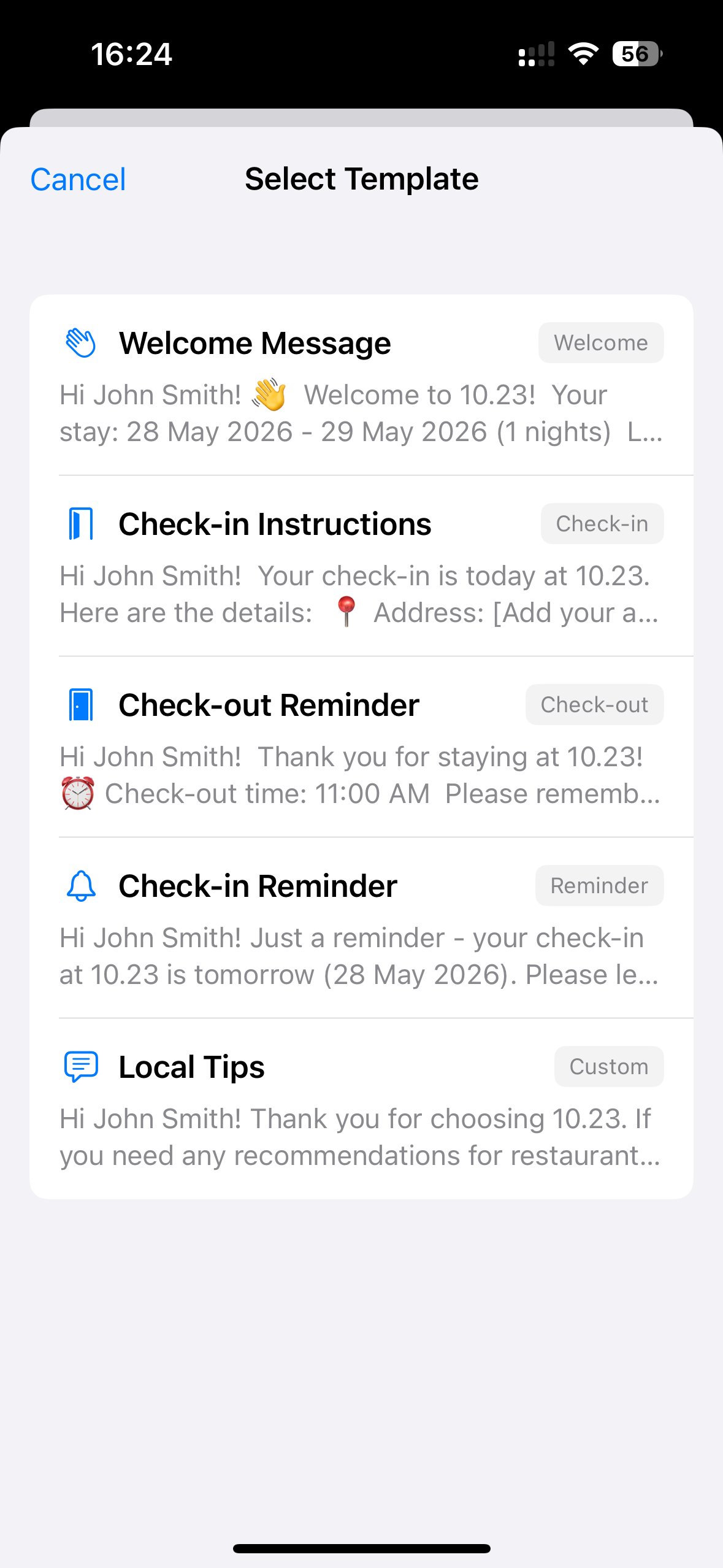
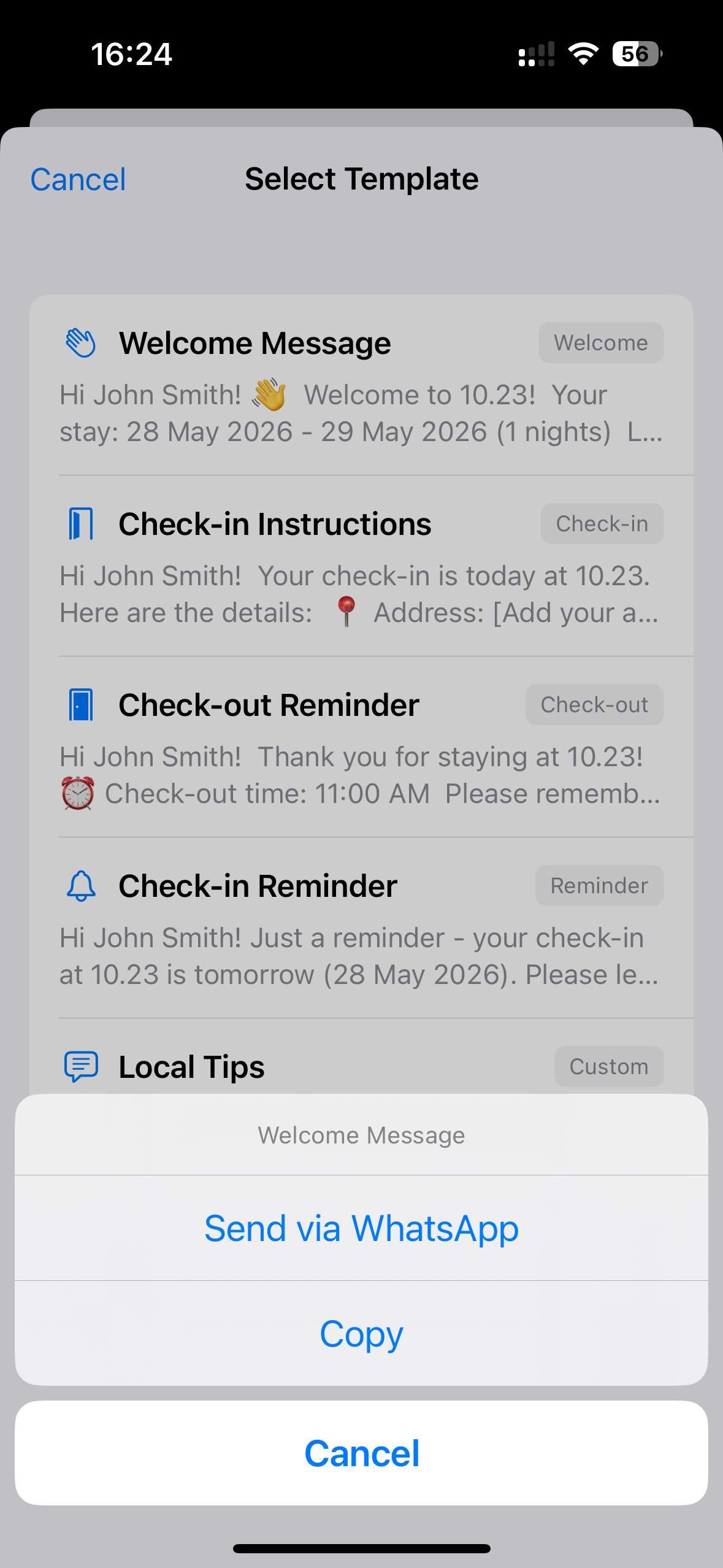
Hosta comes with ready-made templates for the key moments - Welcome, Check-in Instructions, Check-out Reminder, Check-in Reminder and Local Tips - and they automatically fill in the guest's name, the property name and the dates. You send them over WhatsApp or copy them in a couple of taps.
Editing or adding your own templates
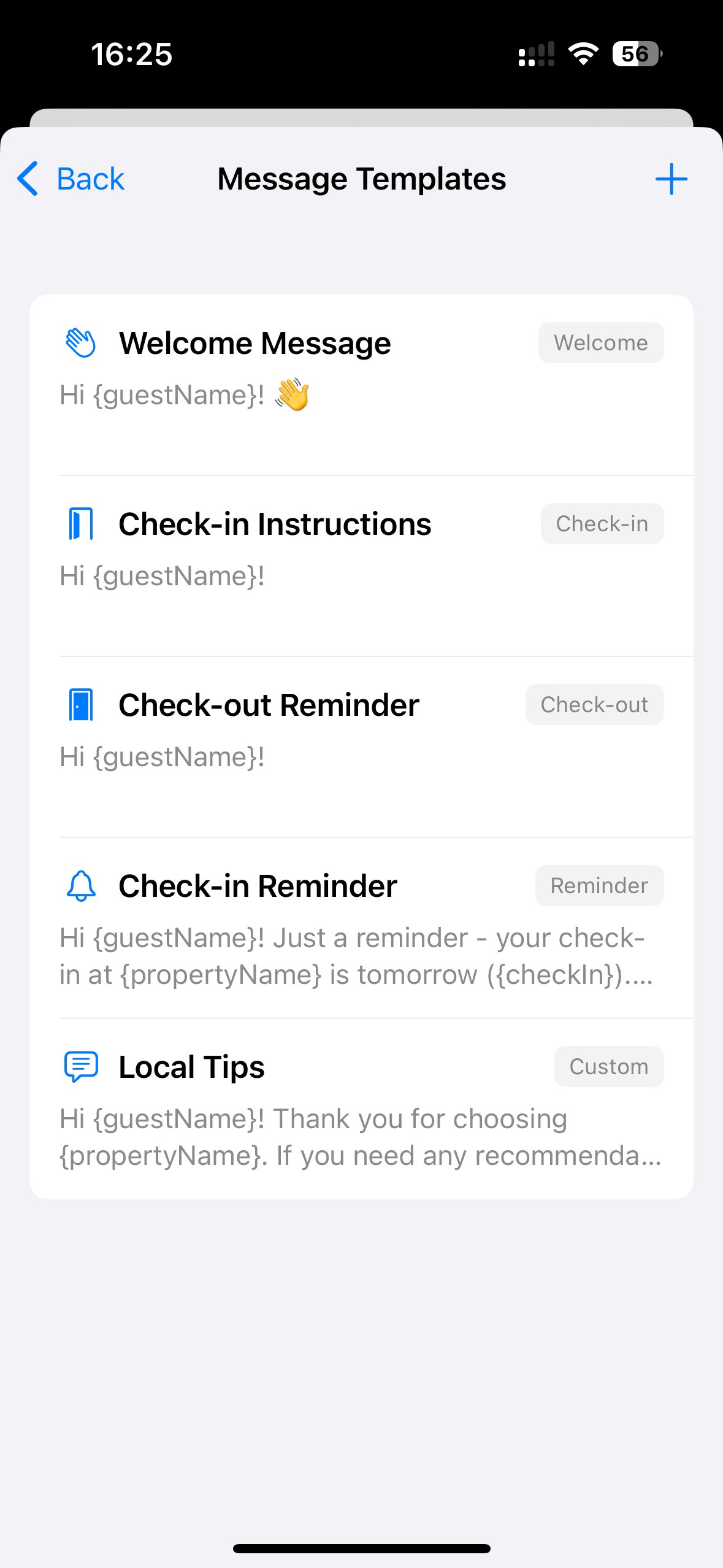
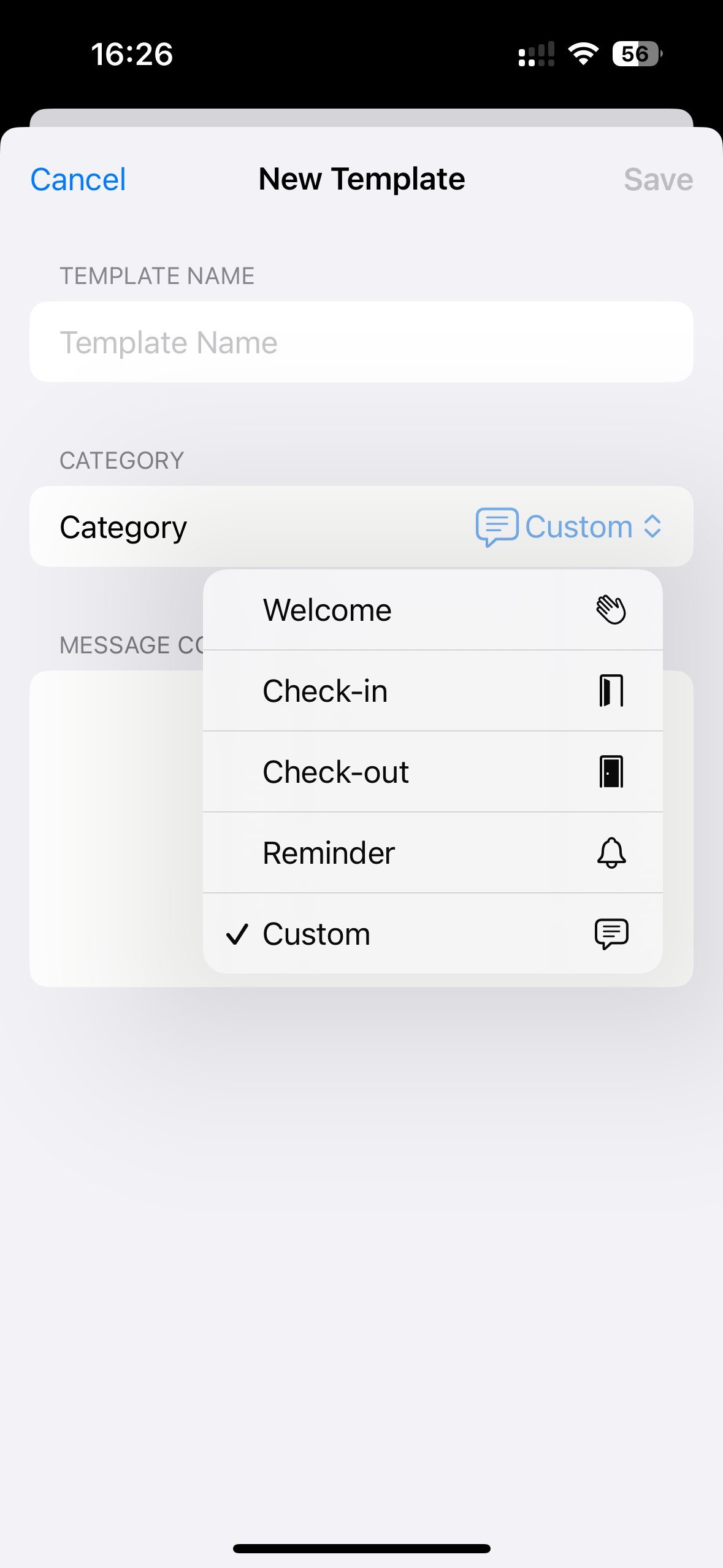
Want your own wording, or a template for a scenario we didn't cover? Open the property, tap the pencil (Edit) icon, scroll to Message Templates, and tap the plus to add a new one. Give it a name, pick a category (Welcome, Check-in, Check-out, Reminder or Custom), and write your message using placeholders like {guestName} and {propertyName}.
Frequently asked questions
How quickly should I reply to guest messages?
As fast as you reasonably can. Response time is one of the few communication metrics platforms measure directly, and guests notice it. Replying within an hour during the day is a good standard - templates make that realistic even when you're busy.
Are message templates impersonal?
Only if you use them lazily. A good template handles the structure and the facts consistently, while you add a personal line. That's more reliable than typing everything fresh and forgetting key details.
What messages should every host send?
At minimum: a booking confirmation, a welcome message, clear check-in instructions, a check-out reminder, and a review request after the stay. Everything else is a bonus that improves the experience.
Can I automate guest messages?
Yes. Hosta stores reusable templates that auto-fill the guest name, property name and dates, so you send the right message in a couple of taps over WhatsApp instead of rewriting it each time.