How to Take Direct Bookings (Without Airbnb Fees)
Every booking through Airbnb or Booking.com hands a slice of your money to the platform. Direct bookings keep that slice in your pocket. Here is why they matter, when they make sense, and how to set up your own booking page in a few minutes.
What is a direct booking?
A direct booking is a reservation a guest makes with you directly, instead of going through Airbnb, Booking.com or VRBO. You share your own booking link, the guest picks dates and submits a request, you confirm it, and they pay you directly. No middleman, no platform fee.
Why direct bookings are worth it
- You keep the commission. Platforms take a cut of every booking, and guests pay an extra service fee on top. A direct booking removes both, so you can earn more, charge the guest less, or both.
- You own the guest relationship. You get their contact details, can message them freely, and build repeat business instead of renting access to your own customers.
- You set the rules. Your cancellation terms, your payment methods, your rental agreement. No platform policy overriding your decisions.
How to set up direct bookings with Hosta
Hosta gives every host a ready-made booking page with a unique link. You don't need a website or any technical setup. Here is the whole flow.
Open Direct Bookings and grab your link
In the Hosta web dashboard, open Direct Bookings. At the top you'll find Your booking link - a unique address like app.myhosta.app/book/.... This is the page guests will see.
Add a description and payment methods
Write a short description for guests - what you offer, location, amenities. Then add the payment methods you accept: bank transfer (IBAN/SWIFT), PayPal, or crypto (USDT). You also set your legal name for the rental agreement and a payment deadline.
Share the link - the guest books
Send the link to a past guest, drop it in your social bio, or print a QR code. The guest opens a clean booking page, picks check-in and check-out, and sees a live price breakdown with no hidden fees.
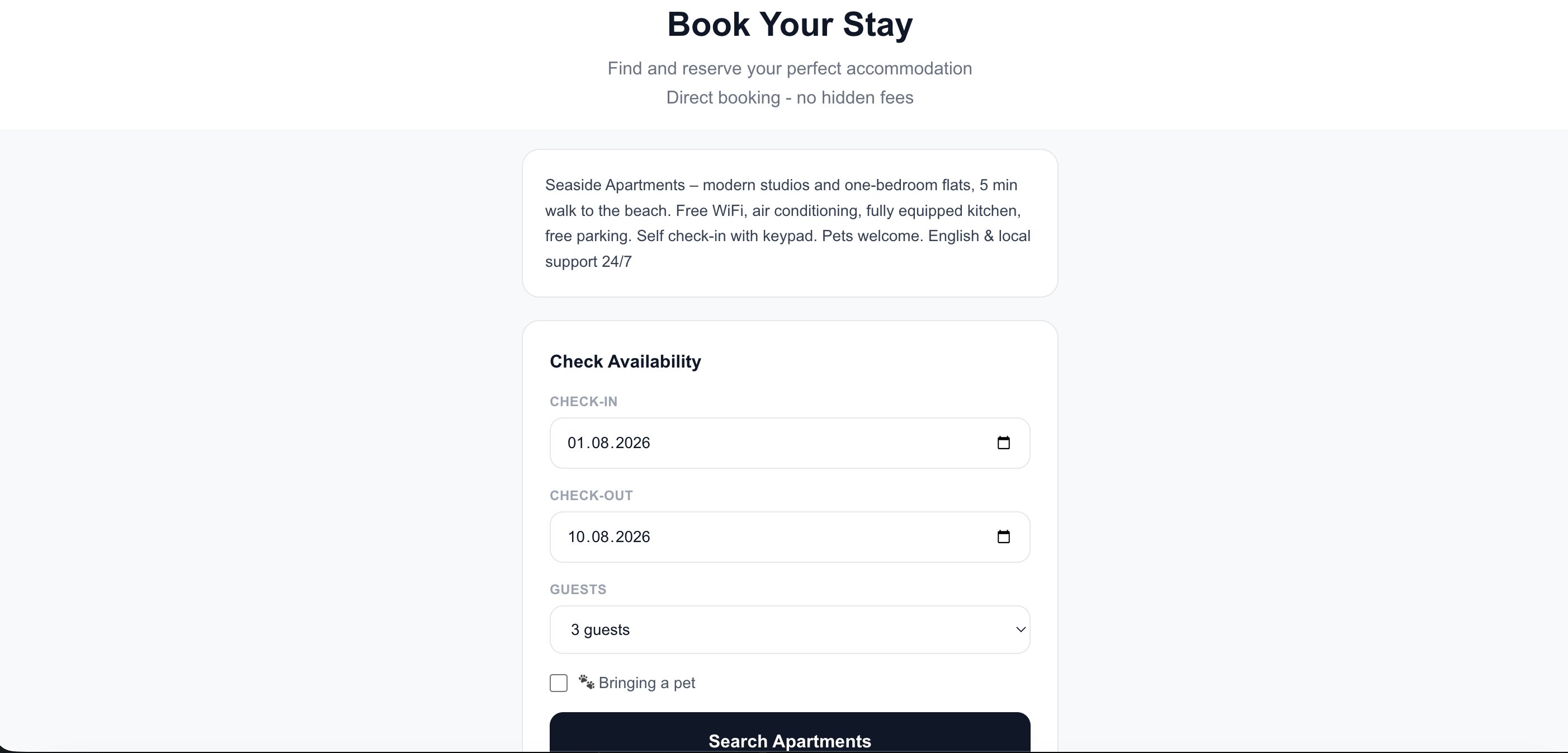
Your booking page - the guest picks dates and guests
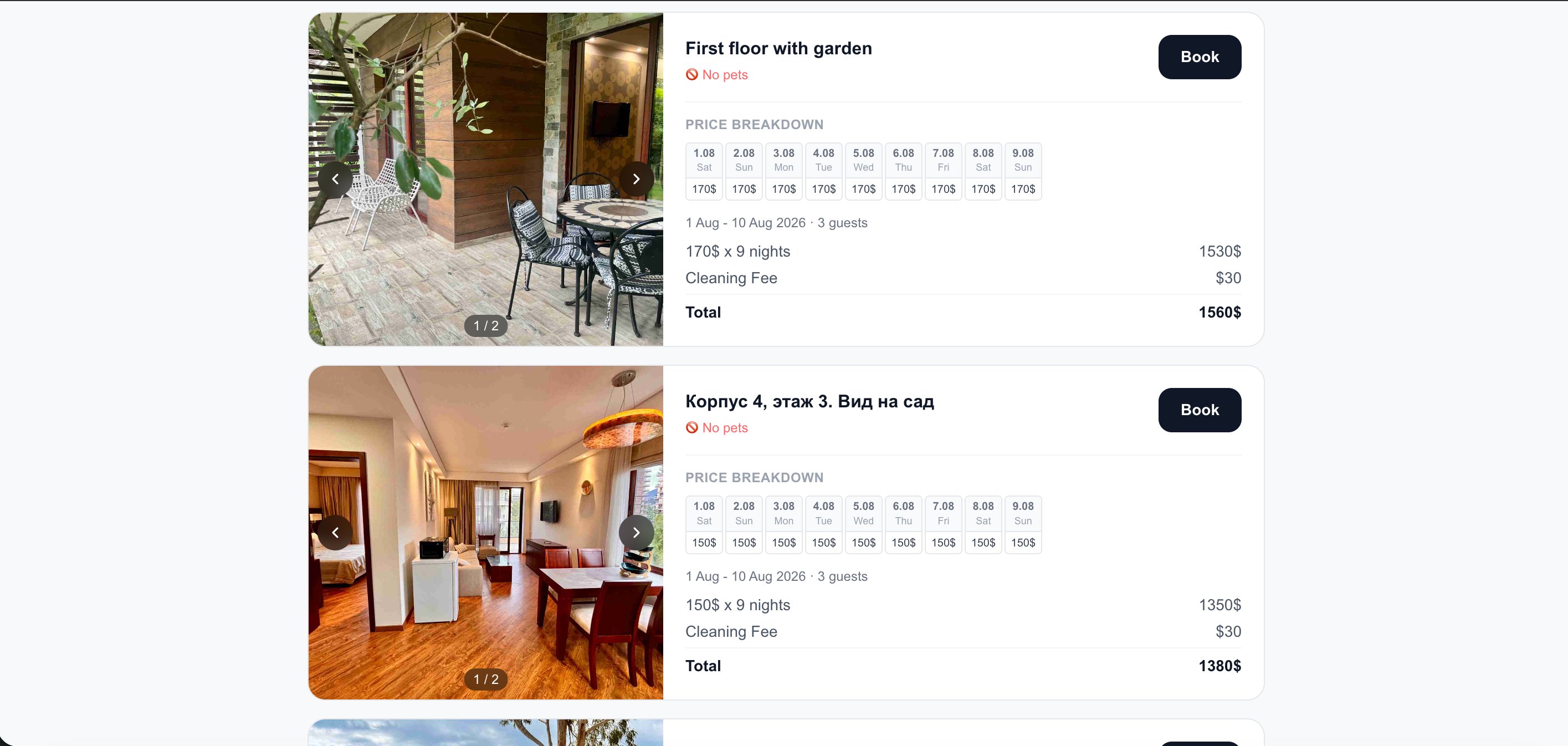
Available apartments with a transparent price breakdown
Guest submits details and a rental agreement
The guest fills in their name and contact, reviews the rental agreement (shown in their own language alongside English), and submits the request. They get a confirmation page with a link to track their booking.
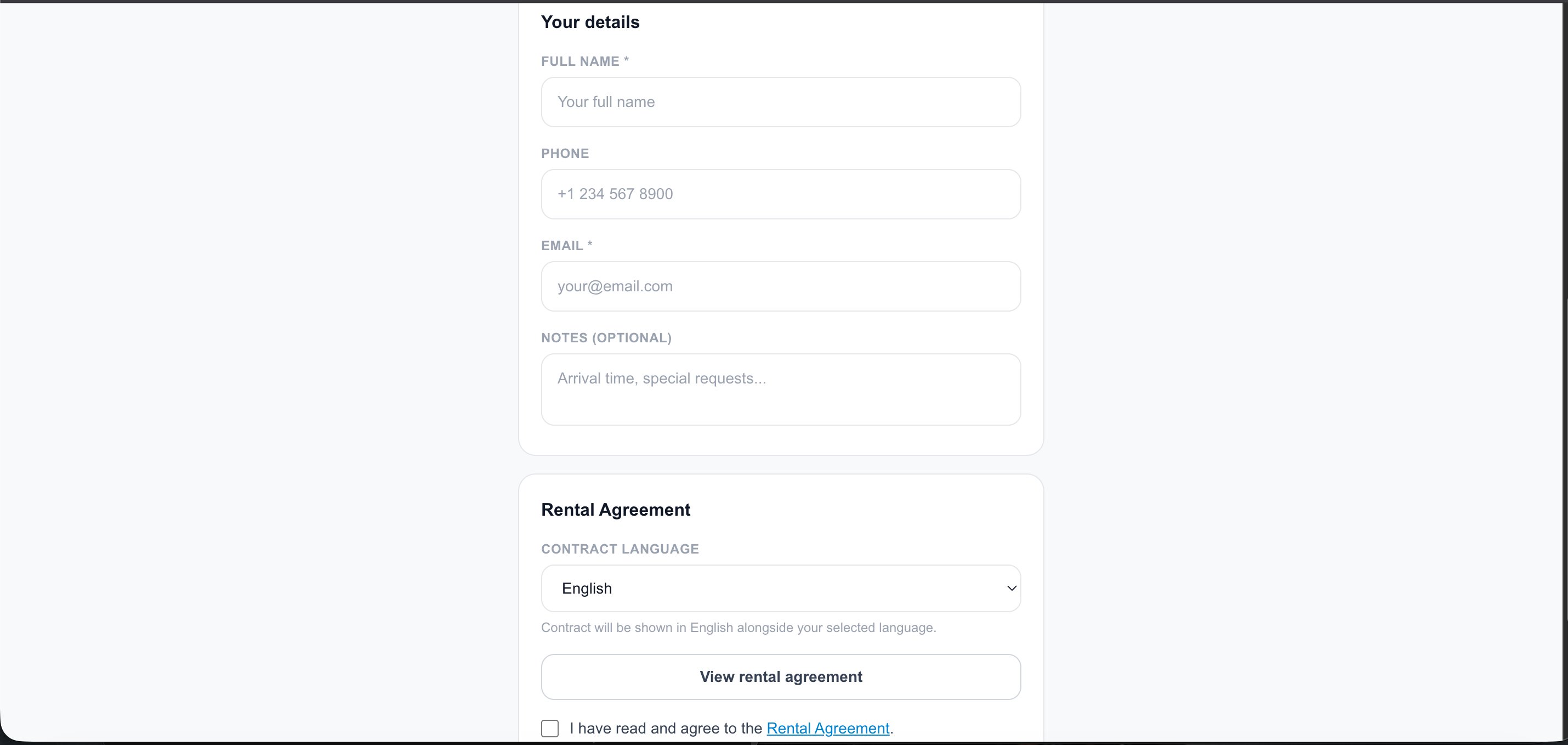
Guest details and a built-in rental agreement
You confirm - and get paid directly
The request lands in your dashboard under Incoming requests. You see the dates, guest count and total. Tap Confirm, and the guest sees your payment details. If the dates don't work, tap Decline. That's it - no commission, paid straight to you.
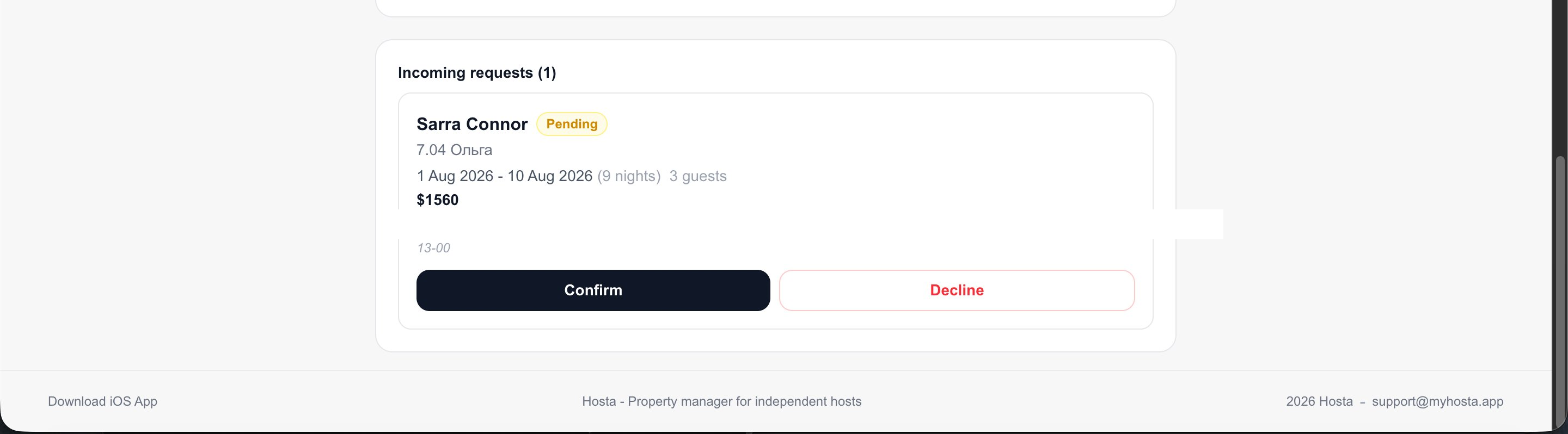
Incoming request - one tap to confirm or decline
Frequently asked questions
How much commission do Airbnb and Booking.com charge?
It varies by platform and plan, but hosts typically lose somewhere between 3% and 15% of each booking to fees, and guests pay an extra service fee on top. Direct bookings remove that cut entirely.
Is it allowed to take guests off-platform?
Platform rules prohibit moving a guest off-platform before they book through that platform. Direct bookings work best with repeat guests, referrals and your own marketing - not by diverting platform traffic.
How do guests pay for a direct booking?
You choose. Hosta lets you offer bank transfer (IBAN/SWIFT), PayPal, or crypto (USDT). After you confirm a request, the guest sees the methods you enabled and pays you directly.
Is there a rental agreement?
Yes. Hosta generates a rental agreement the guest reviews and accepts before sending a request, and it can be shown in the guest's language alongside English.