Owner Portal: Give Property Owners a Live Dashboard (No App Needed)
If you manage apartments for owners and split the income, you know the monthly ritual: screenshots of the calendar, a spreadsheet nobody trusts, and a "so how did July go?" message every few weeks. Here is how to replace all of it with one link the owner opens in a browser - live bookings, income, stats and their own expense log.
The problem with owner reports
Co-hosting runs on trust, and trust runs on numbers. But assembling those numbers by hand every month does not scale: you copy figures out of three platforms, the owner asks follow-up questions, and by the time everyone agrees, the next month has started. Worse, a static report is outdated the moment you send it.
The fix is to stop sending reports and start sharing access - scoped strictly to what belongs to that owner.
One link instead of monthly reports
In Hosta, each owner gets a personal link. Opening it shows a live dashboard with only their apartments: a booking calendar with color-coded sources (Airbnb, Booking.com, VRBO, direct, manual), guest names, prices and nights - the same picture you see as a manager, minus everything that is not theirs.
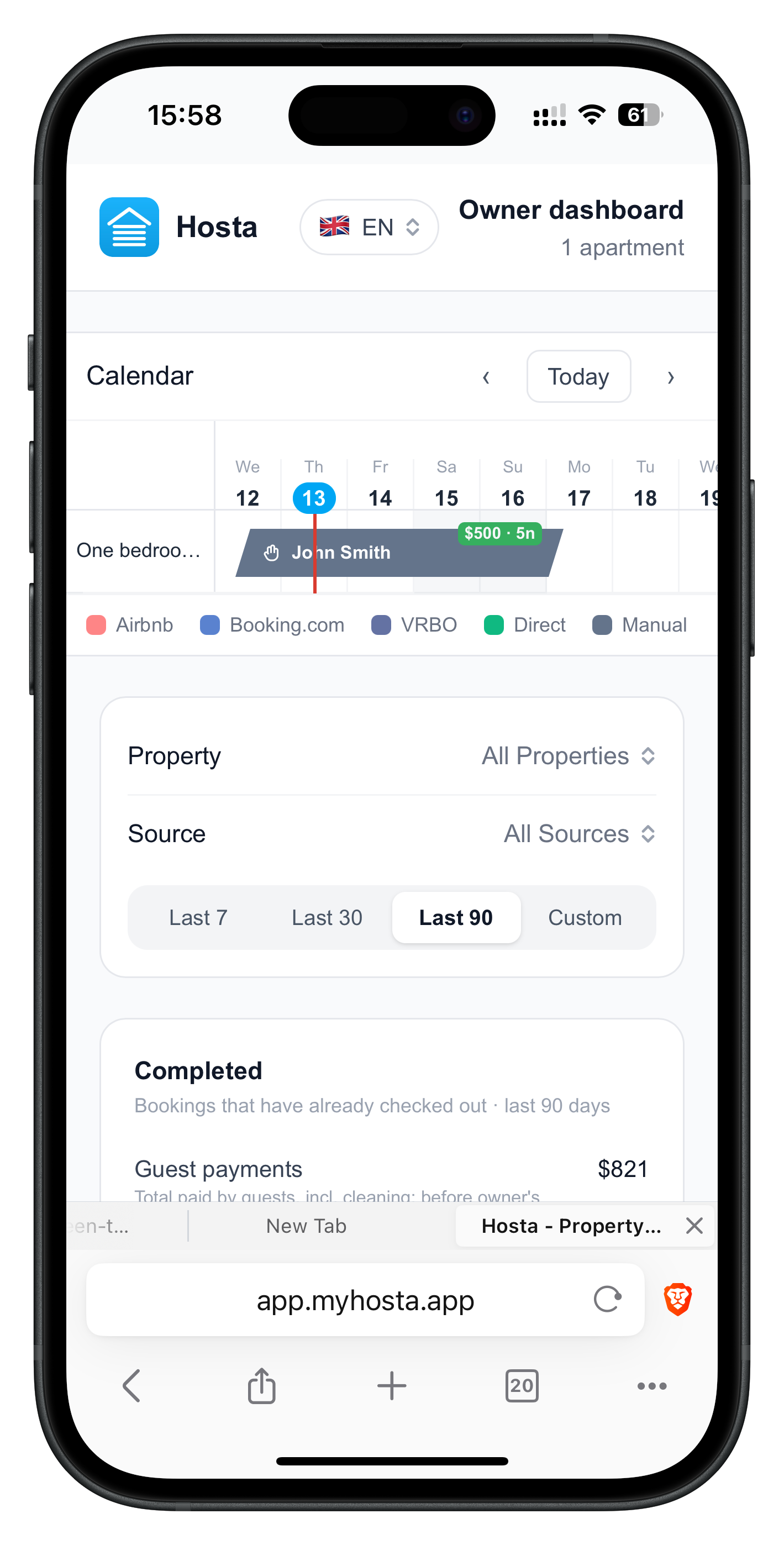
No app install, no password, no account. It works on any phone or computer, and the owner can switch the dashboard language between English, Russian, Spanish and Chinese right in the header.
The numbers owners actually ask about
Below the calendar the dashboard answers the standing questions: how much did guests pay, how many nights were sold, who covered the cleaning, and what is my share. Net earnings are shown split as owner / manager, using the percentage you set on the property.
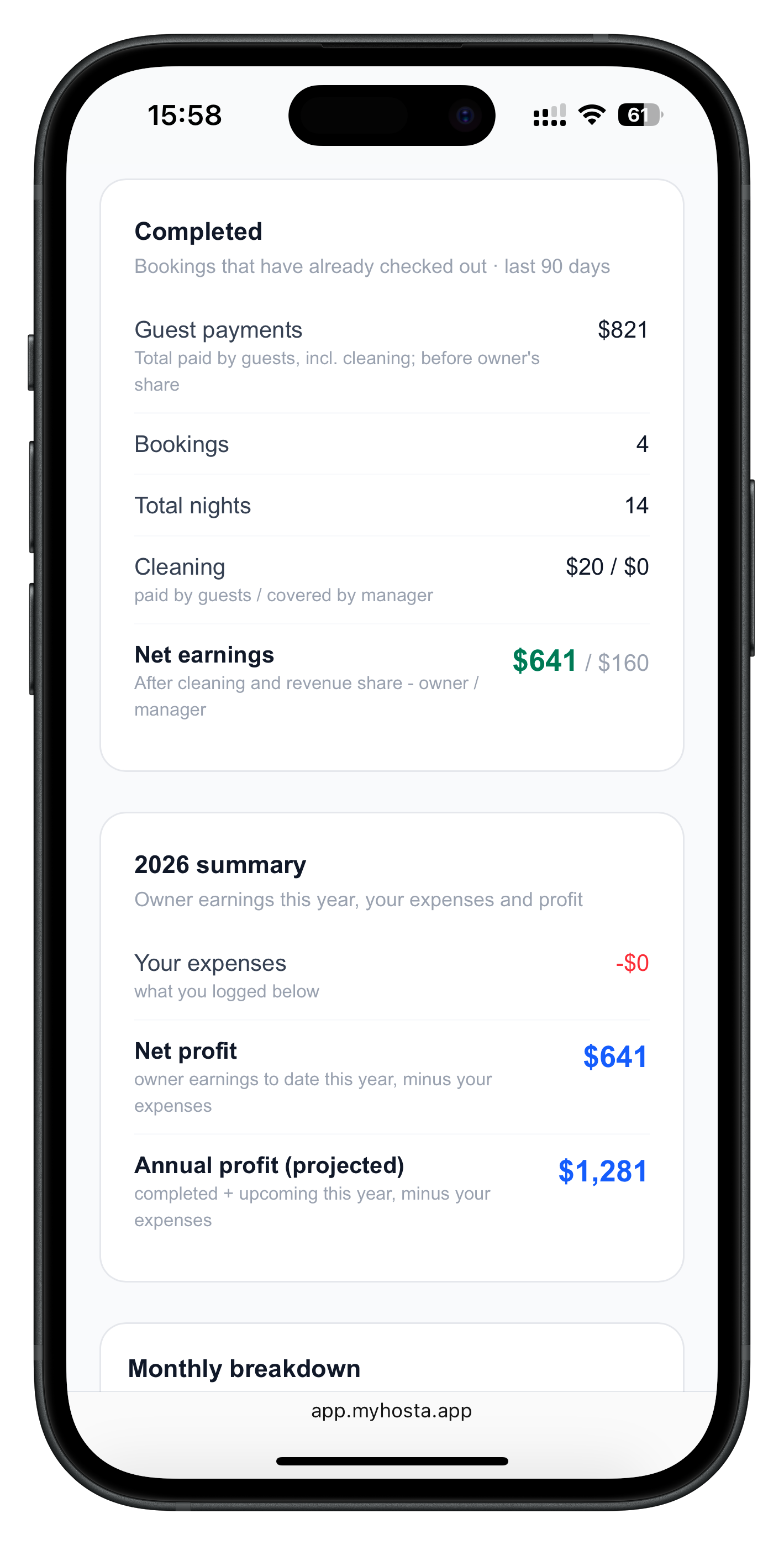
There is also an upcoming income block for future bookings, so "what does next month look like?" answers itself.
Month by month: income, ADR and occupancy
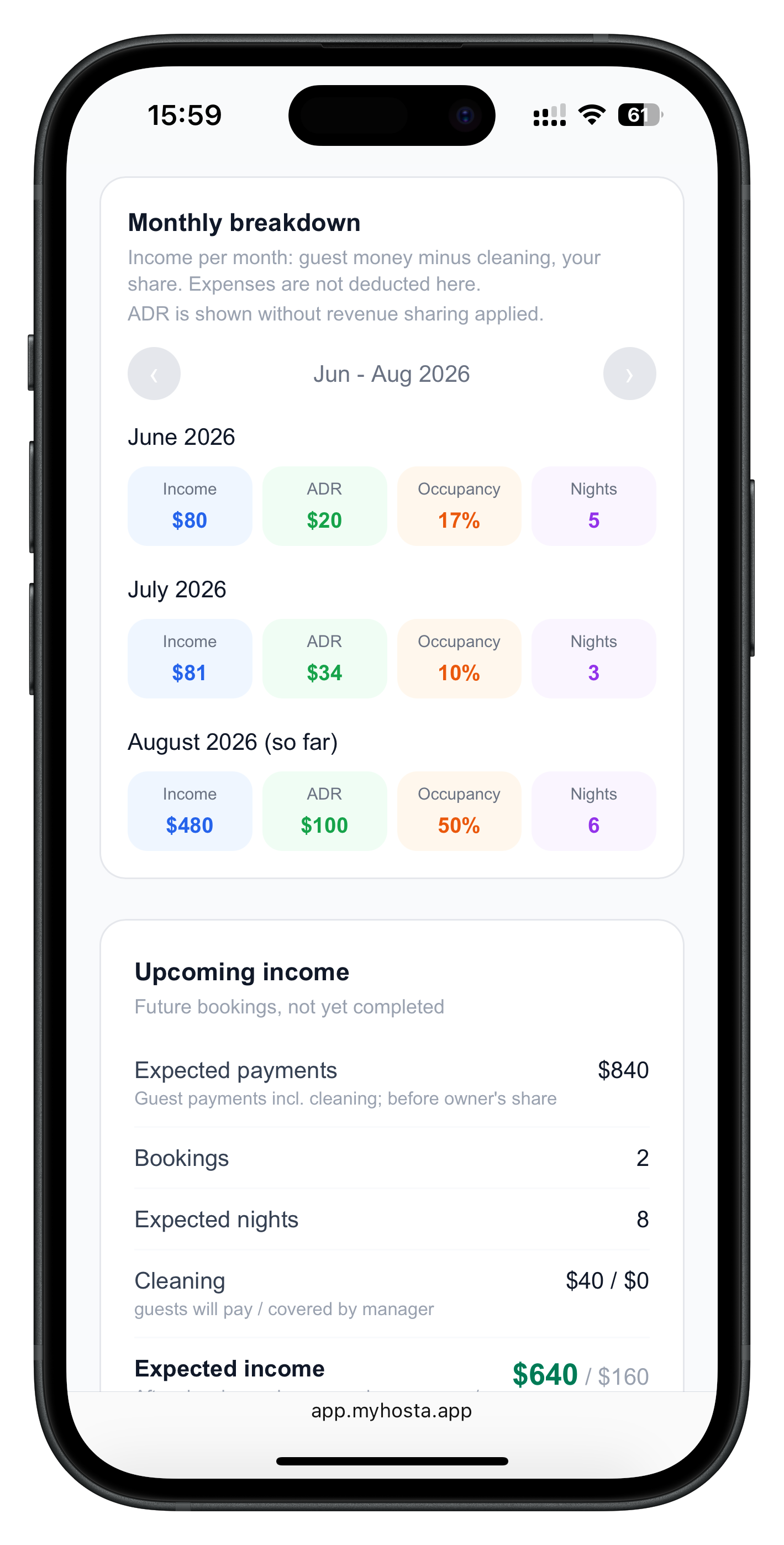
The monthly breakdown shows the owner's income, ADR, occupancy and nights for each month, three months at a time, with arrows to move through past and future seasons. Bookings that span a month boundary are split by night, so nothing is counted twice.
Owners log their own expenses
Income splitting only works if expenses are split too. In practice you each carry different costs: you pay for a plumber call-out or supplies, the owner pays utilities, the loan, insurance, new furniture. So the portal lets the owner log their own expenses - with categories like electricity, water, internet, repairs, insurance, loan payment and taxes - either per apartment or as a general cost.
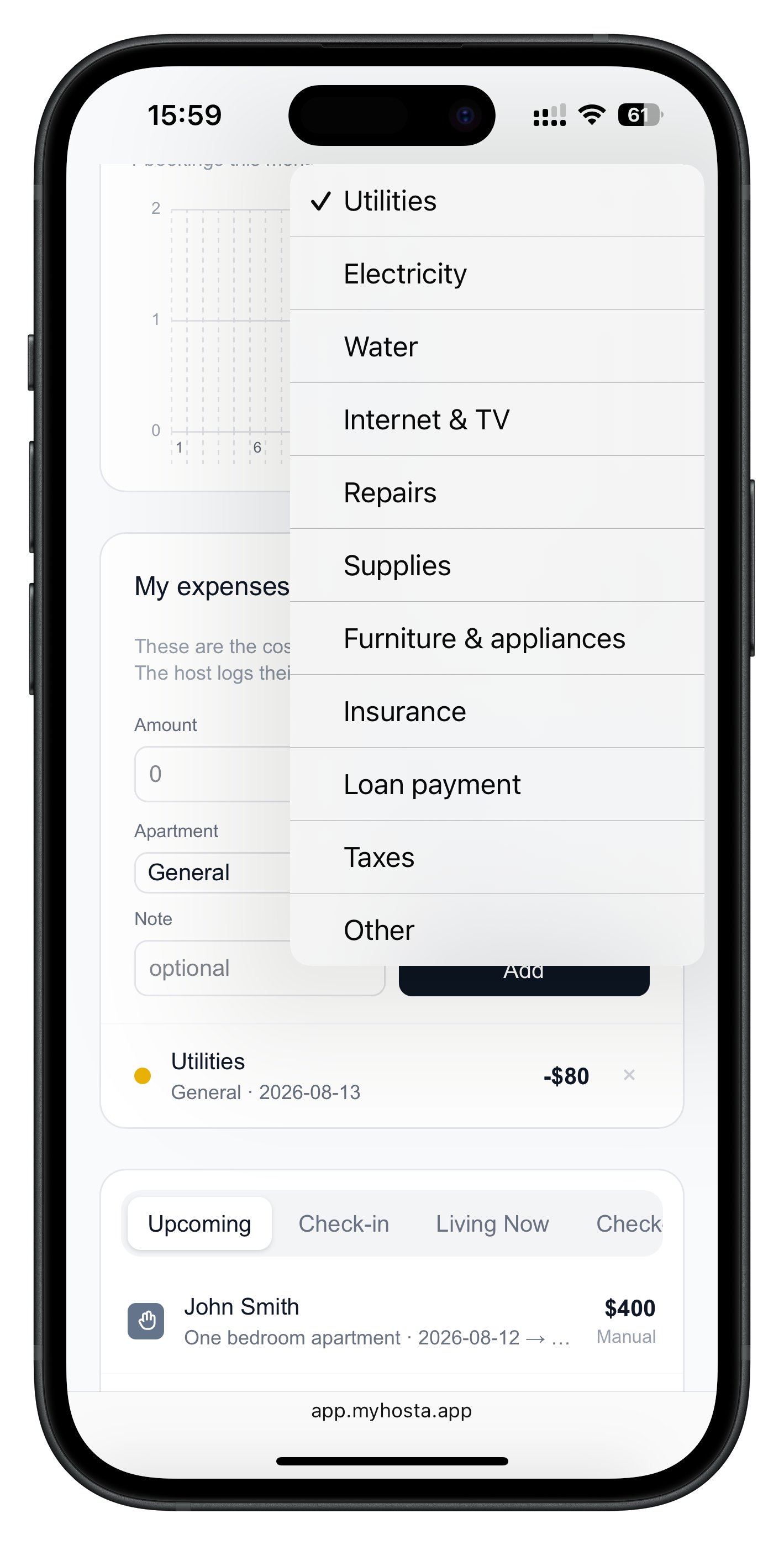
These entries live on the owner's side only. They never mix with the expenses you track in the app, so your own reports stay clean.
How to set it up in Hosta
The whole setup takes about a minute per owner.
Enable Revenue Share on the property
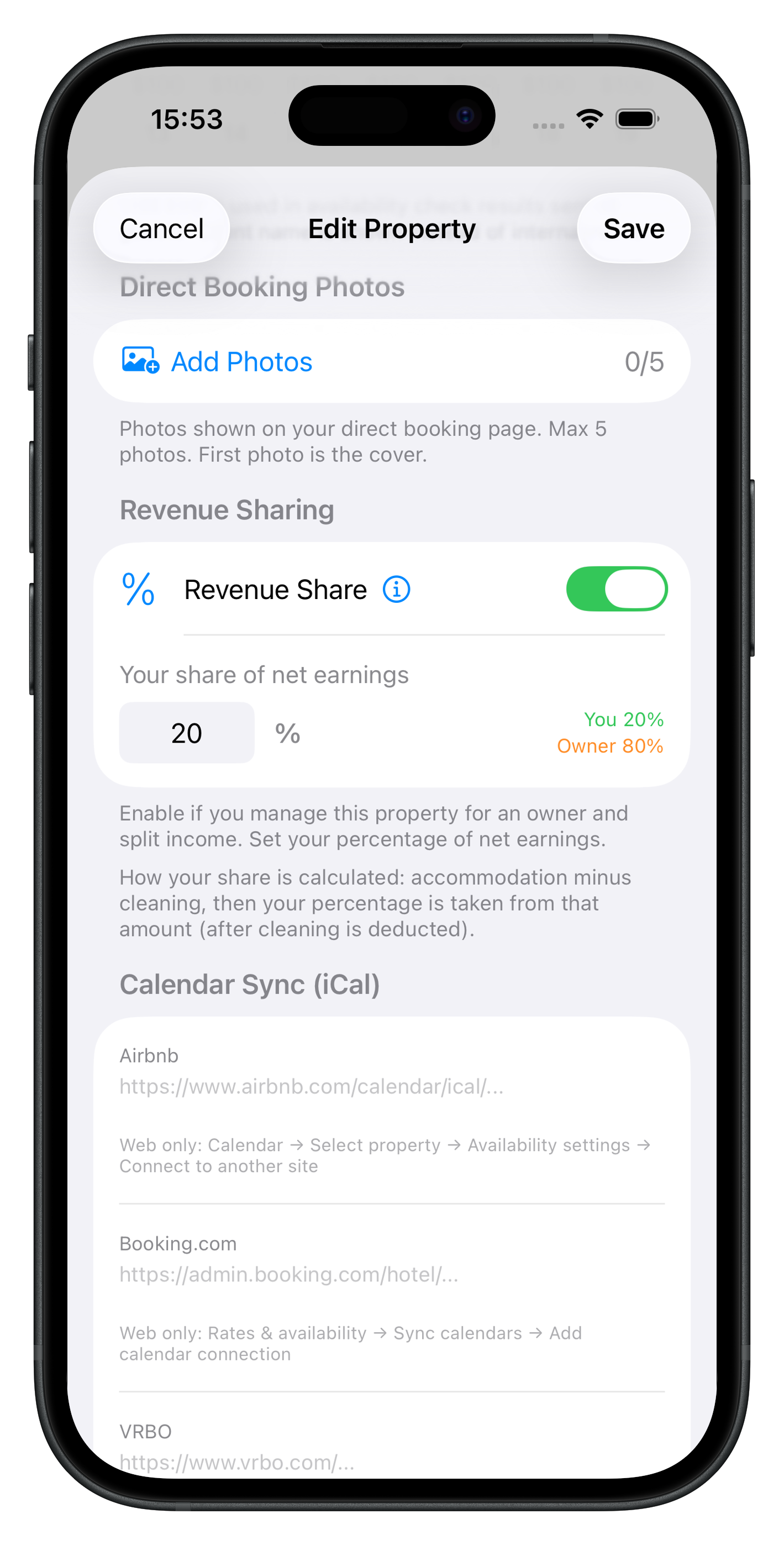
Open the apartment you manage and switch on Revenue Share. Enter your percentage of net earnings - the rest is the owner's. This same switch unlocks owner links.
Open Owner links
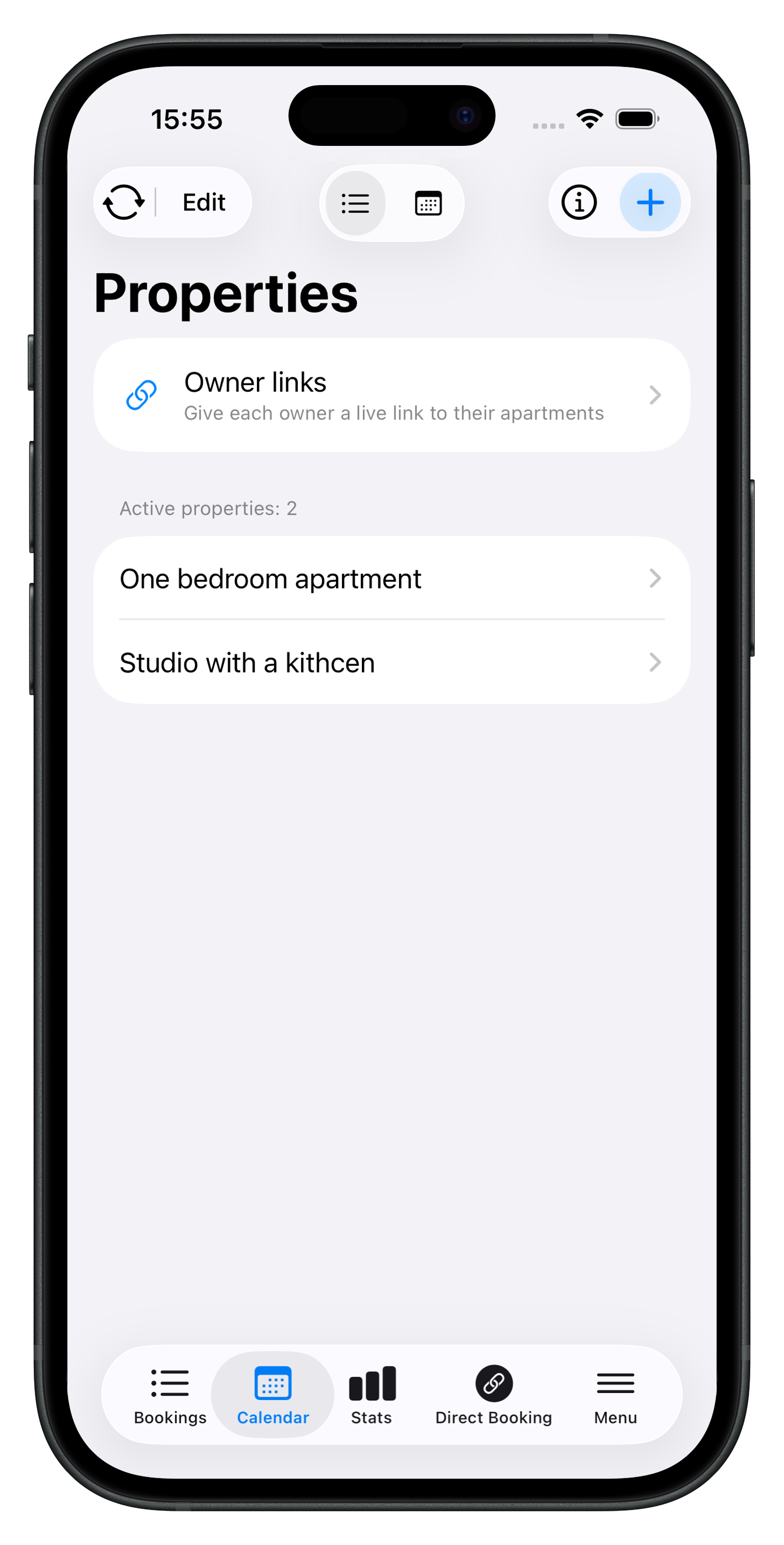
On the Properties screen a new row appears: Owner links. It shows up once at least one apartment has revenue sharing switched on.
Create a link for the owner
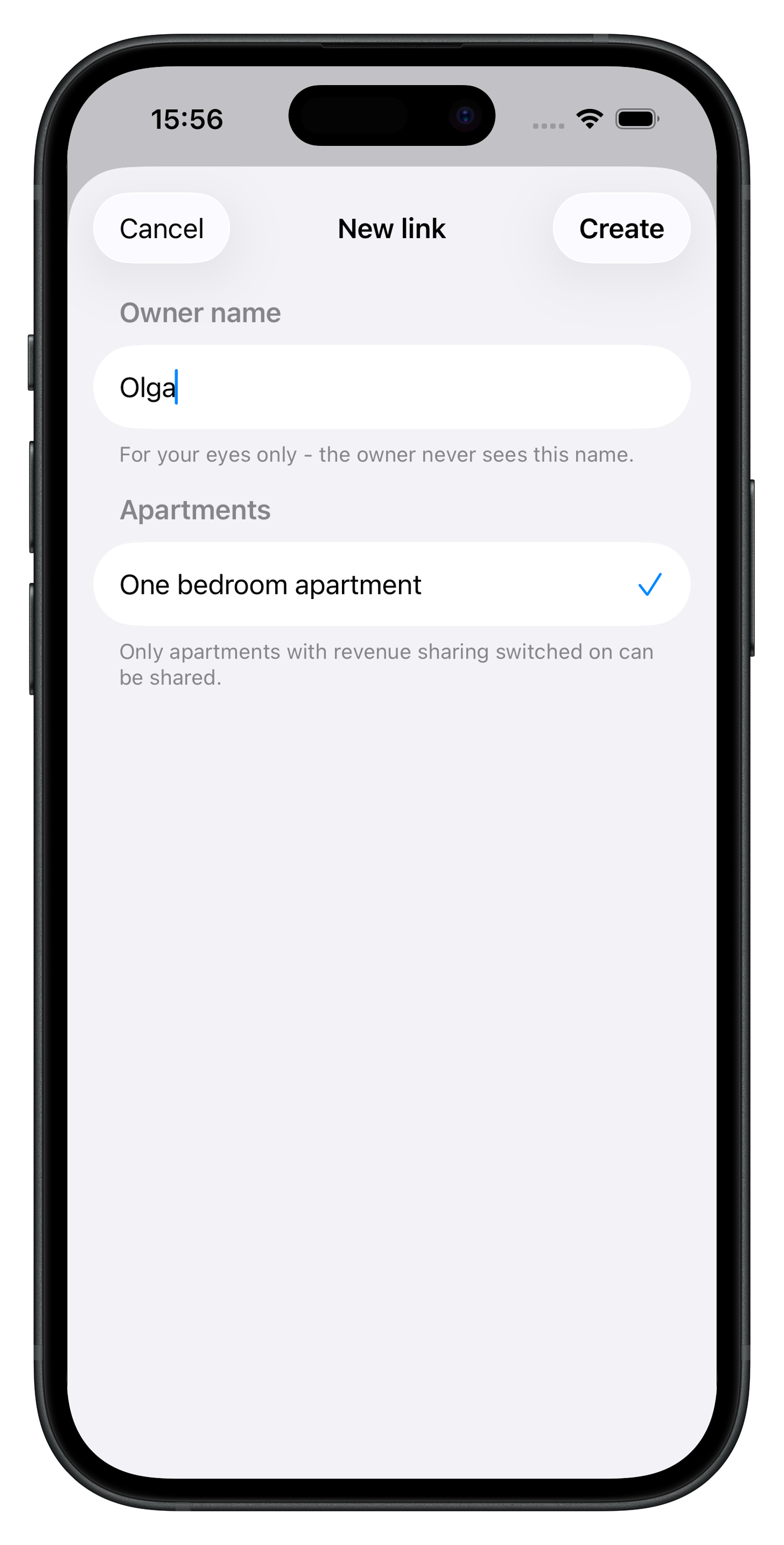
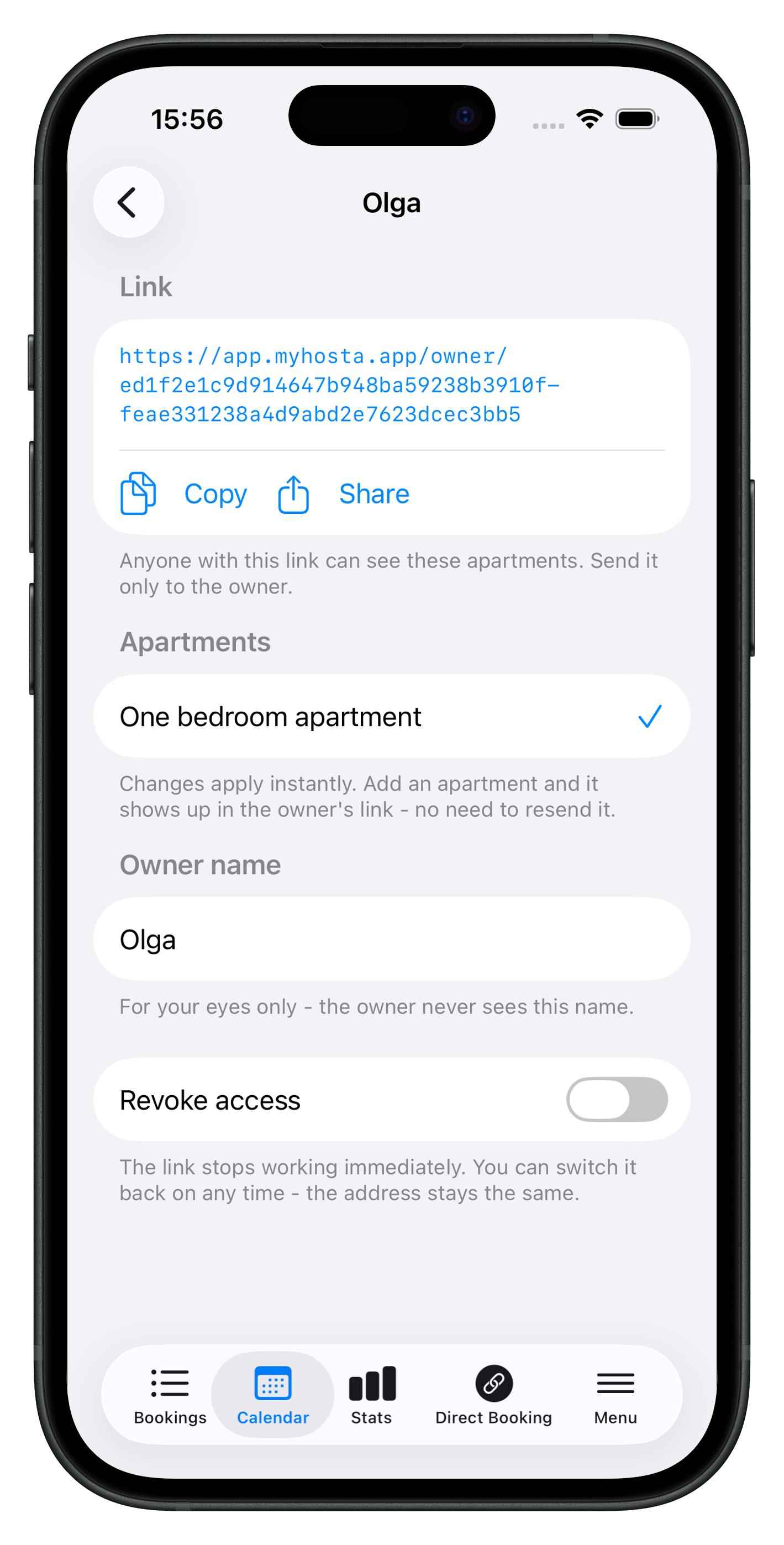
Tap plus, name the owner (the name is for you only - the owner never sees it) and tick their apartments. One link can cover several apartments of the same owner.
Copy or share the link
Send it in any messenger. Changes apply instantly: add an apartment to the link later and it appears on the owner's dashboard without resending anything.
Frequently asked questions
Does the owner need to install Hosta?
No. The link opens in any browser on a phone or computer. No app install and no account are needed.
Can one link cover several apartments?
Yes. Tick all the apartments that belong to that owner when creating the link. Add another one later and it appears in the same link instantly.
What if I stop working with an owner?
Switch on Revoke access in the link settings. The link stops working immediately, and you can re-enable it any time at the same address.
Can the owner see my other apartments or my expenses?
No. The owner sees only the apartments attached to their link, their side of the income split, and the expenses they logged themselves.
What language is the dashboard in?
English by default; the owner can switch to Russian, Spanish or Chinese in the header, and the choice is remembered on their device.