How to Track Rental Income and Expenses (Without a Spreadsheet)
Most hosts can tell you their nightly rate but not what they actually keep at the end of the month. Spreadsheets fall apart the moment a booking crosses two months, a lease is paid up front, or you start managing an apartment for someone else. Here is how to track income, expenses and real net profit for your short-term rentals, with examples from Hosta.
What you should actually be tracking
Revenue is not income, and income is not profit. To know how your rentals are doing, you need four numbers, not one:
- Past income - what completed bookings have already paid you.
- Upcoming income - a forecast from confirmed future bookings.
- Expenses - everything you spend to run the place, including a lease paid up front.
- Net profit - income minus expenses. The only number that tells you what you keep.
Hosta builds all four from the bookings you already have, so you are not re-typing numbers into a sheet.
Past income: what you have earned
The Stats tab opens on Past income - completed bookings with payments received. You can filter by booking source, by property, and by period (last 7, 30 or 90 days, or a custom range).
For the selected period you see guest payments, number of bookings, total nights, and cleaning split into what guests paid versus what came out of your own funds. Net earnings at the bottom is guest payments minus the cleaning you covered yourself.
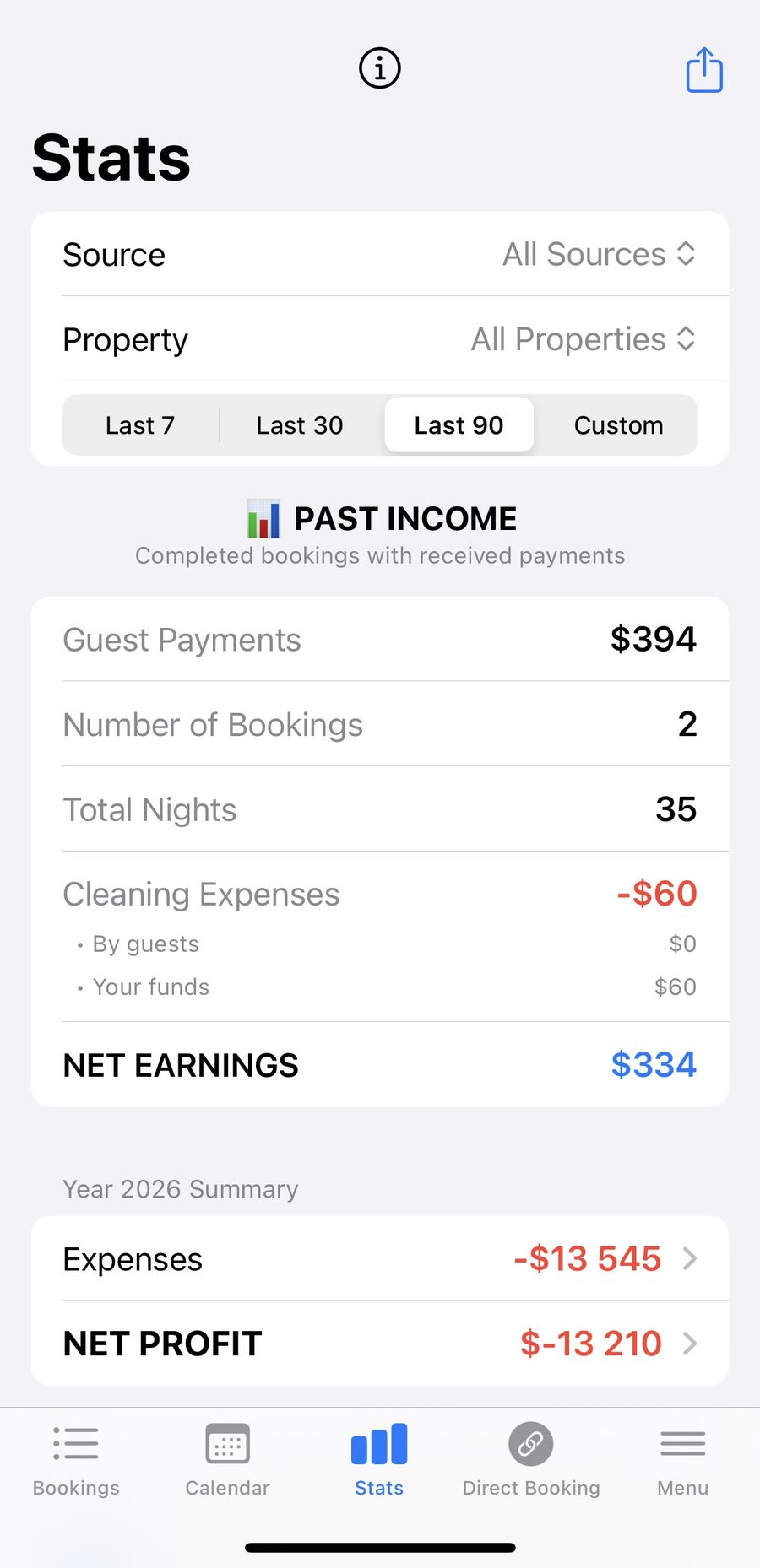
Past income for the selected period, filtered by source, property and dates
Upcoming income: your forecast
Scroll down to Upcoming income and Hosta projects what your confirmed future bookings will bring in. You get expected payments, number of bookings, expected nights, and cleaning split the same way as past income.
Two figures matter most here. Expected net earnings is the full amount after cleaning, before any split. Your expected income goes further: it is what is left after cleaning, the owner's share on any co-hosted properties, and the expenses you have logged for the year. That second number is the realistic one.
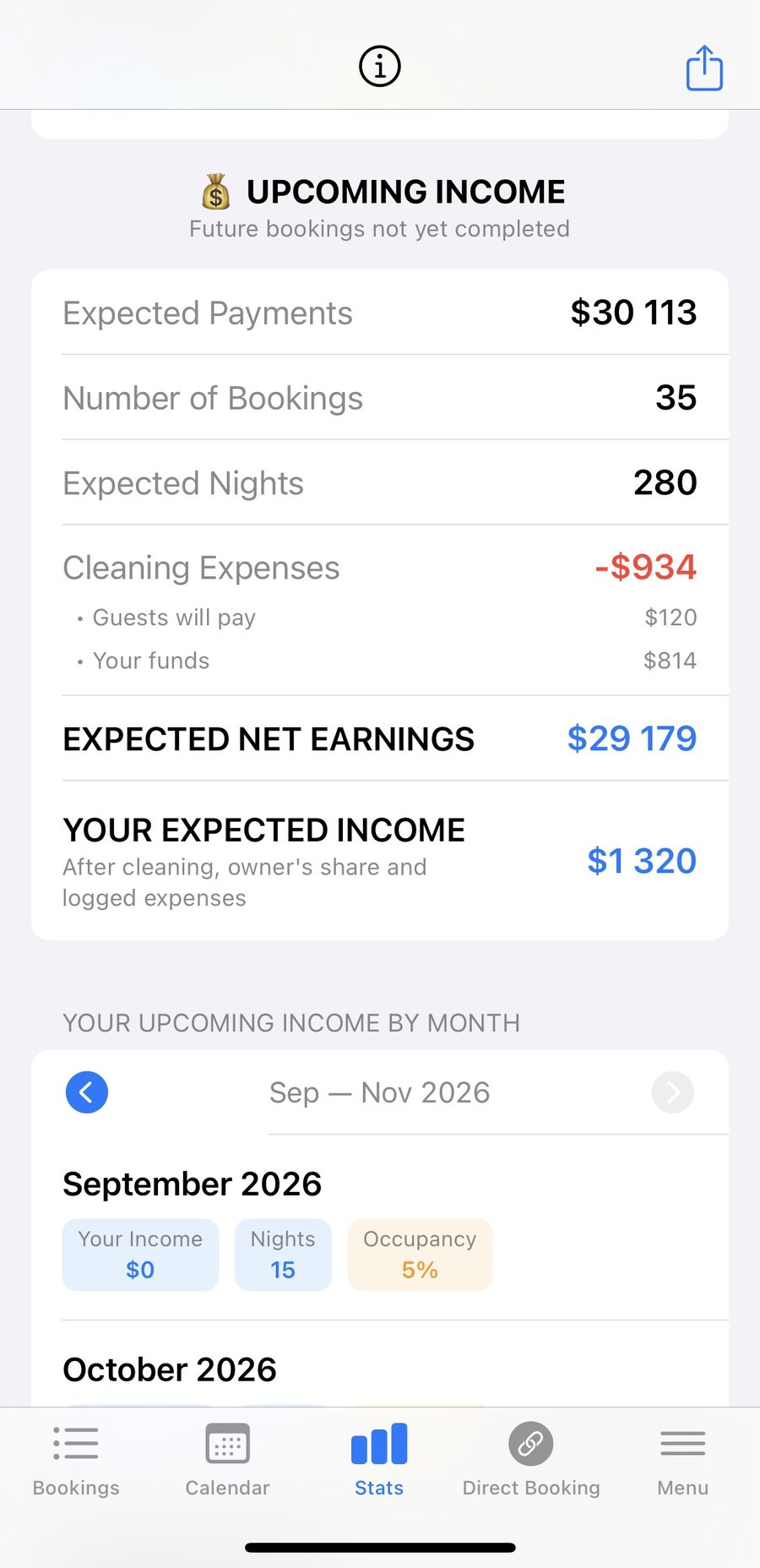
Upcoming income - expected net earnings and your expected income after splits and expenses
Month by month: income, ADR and occupancy
Below the totals, the monthly breakdown shows each month's income alongside two metrics every host should watch:
- ADR (average daily rate) - the average price of a booked night. A quick read on your pricing.
- Occupancy - the share of available nights that are booked. A quick read on demand.
Bookings that span a month boundary are split by night, so a stay from late June into early July adds the right amount to each month rather than being counted twice. That keeps the monthly figures honest.
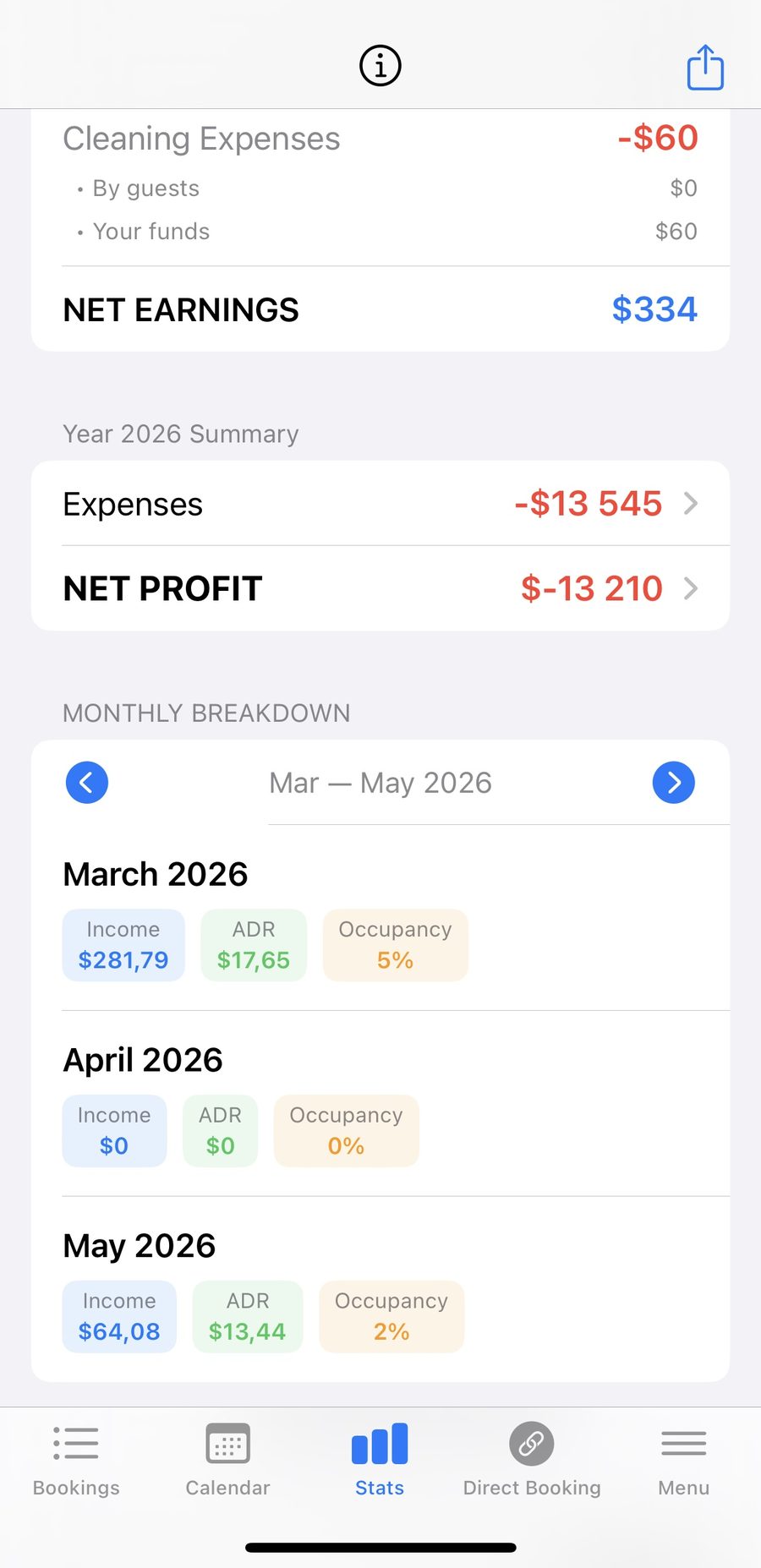
Income, ADR and occupancy per month, with a year summary above
Logging expenses (including a seasonal lease)
Open Expenses to add everything you spend to run a rental. Each expense has a category - utilities, repairs, supplies - and you can review them by year, filter by category, and see them grouped by month.
A common case worth calling out: if you lease an apartment for the whole season with one up-front payment, log it as a single Property Lease expense on the day you paid it. Do not try to spread it across months. Your income arrives over the whole season, but the lease was one payment, and splitting it would only distort each month. Logged once, it counts in full against your net profit for the year.
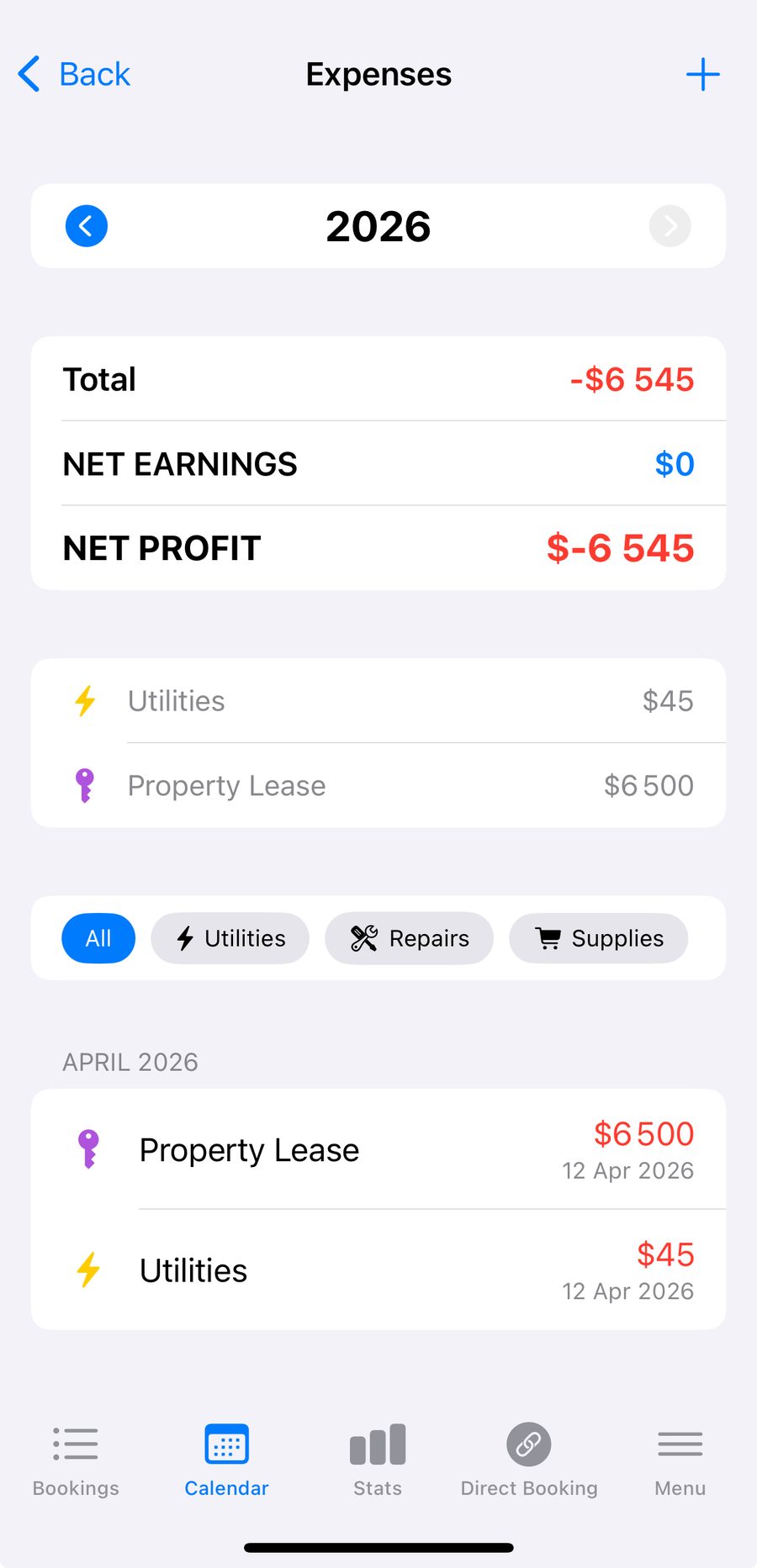
Expenses by year and category - here a $6,500 seasonal lease logged as one entry
Co-hosting: split revenue with the owner
If you manage an apartment for its owner and share the income, you should not count the whole booking as yours. Open the property, turn on Revenue Share, and set your percentage of net earnings - for example 20 percent for you and 80 percent for the owner.
From then on, every income figure that says "your income" reflects only your share for that property, while the full net earnings stay visible for reference. Properties you own yourself are unaffected and count at 100 percent. You can mix owned and managed apartments in one account and the totals stay correct.
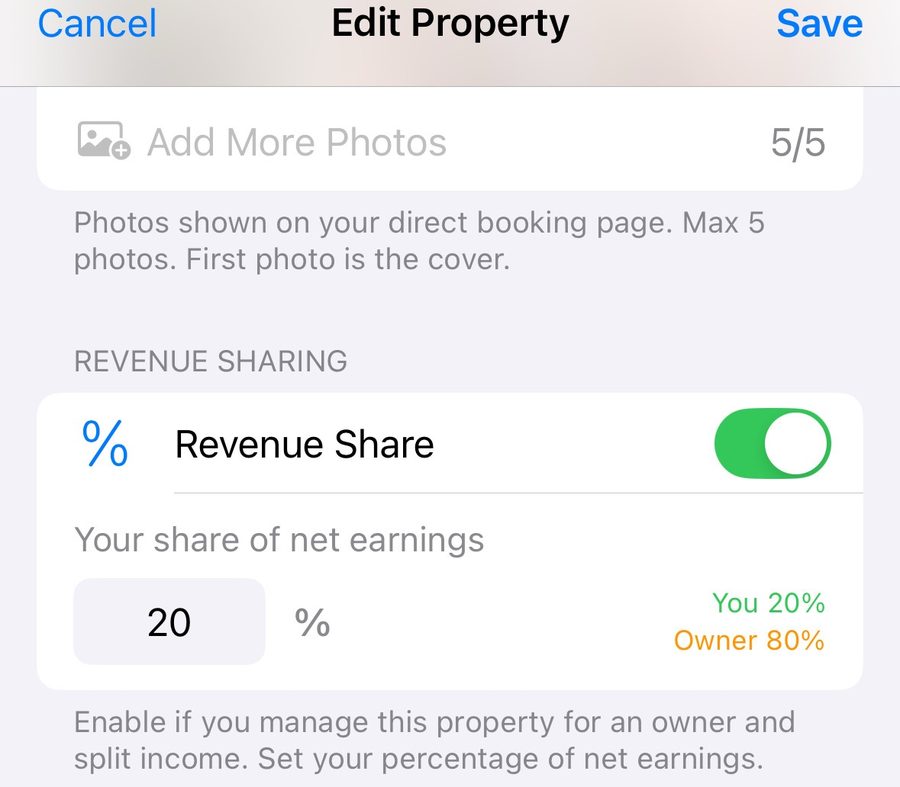
Revenue Share - set your cut of net earnings for a managed property
How to set it up in Hosta
Putting it together takes a few minutes once your bookings are in.
Open Stats and set your filters
Go to the Stats tab. Choose the booking source, property (or all properties) and the period. You immediately see past income and net earnings for that selection.
Log your expenses
Open Expenses and add each cost with its category. Log recurring costs like utilities as they happen, and one-off costs like a seasonal Property Lease as a single entry on the date you paid.
Set a revenue split for managed properties
For any apartment you co-host, open it, enable Revenue Share and enter your percentage of net earnings. Leave it off for apartments you own.
Read your net profit
Check the year summary and the monthly breakdown. Net profit is net earnings minus your logged expenses - the number that tells you what you actually keep.
Frequently asked questions
What is the difference between net earnings and net profit?
Net earnings are guest payments minus the cleaning you pay for yourself. Net profit subtracts every expense you have logged - utilities, repairs, supplies, any lease - so it reflects what you actually keep.
Can I log the lump sum I paid to lease an apartment for the season?
Yes. Add it as one Property Lease expense on the date you paid it. It is not spread across months, because your income comes in over the season while the lease was a single payment. It counts in full against net profit for the year.
How do I split income with the apartment owner if I co-host?
Open the property, enable Revenue Share and set your percentage of net earnings, for example 20 percent for you and 80 percent for the owner. Your income figures then show only your share, while full net earnings stay visible.
What do ADR and occupancy mean?
ADR is the average daily rate, the average price per booked night. Occupancy is the share of available nights that are booked. Both are shown per month so you can spot strong and weak periods.
Does upcoming income include bookings that have not happened yet?
Yes. It is a forecast from confirmed future bookings that are not yet completed, showing expected payments, expected net earnings and your expected income after cleaning, the owner's share and logged expenses.