Airbnb Calendar Sync: How to Avoid Double Bookings
If you list the same place on more than one platform, a double booking is only a matter of time. Here is how Airbnb calendar sync actually works, why overbookings happen, and how to connect all your calendars so they stay in step.
What is Airbnb calendar sync?
Calendar sync is a way for two booking platforms to share availability so that when a date is booked on one, it shows as unavailable on the other. Airbnb does this through a standard format called iCal (an .ics link). Every Airbnb listing has its own iCal export link that contains all of its reserved dates.
You take that link and paste it into another platform, or into an app like Hosta, and that platform reads the reserved dates and blocks them. It is a one-way, read-only feed: the other side reads your Airbnb bookings but cannot change anything on Airbnb.
Why double bookings happen
Hosts get double booked for a few predictable reasons:
- The same place is listed on several platforms. Airbnb, Booking.com and VRBO each keep their own calendar. Without a connection between them, a guest can book the same dates twice.
- iCal sync is not instant. Airbnb refreshes its exported calendar periodically, not the second a booking comes in. So there is always a window where one platform knows about a booking and the others do not.
- It is easy to forget to block dates manually. If you take a direct booking or a friend stays over and you forget to block those dates everywhere, the calendars drift apart.
Because of the sync delay, no calendar connection is truly real-time. That is why it helps to have a single place that shows every booking from every platform together and warns you the moment two of them overlap.
How to sync your Airbnb calendar with Hosta
Hosta pulls your Airbnb, Booking.com and VRBO bookings into one combined calendar and flags overbookings automatically. Here is how to connect Airbnb.
Open Airbnb on the web and go to the calendar
On a computer, open airbnb.com, log in, and click Calendar in the top menu. Select the listing you want to connect, then scroll the right-hand panel down to Connect calendars and click Connect to another website.
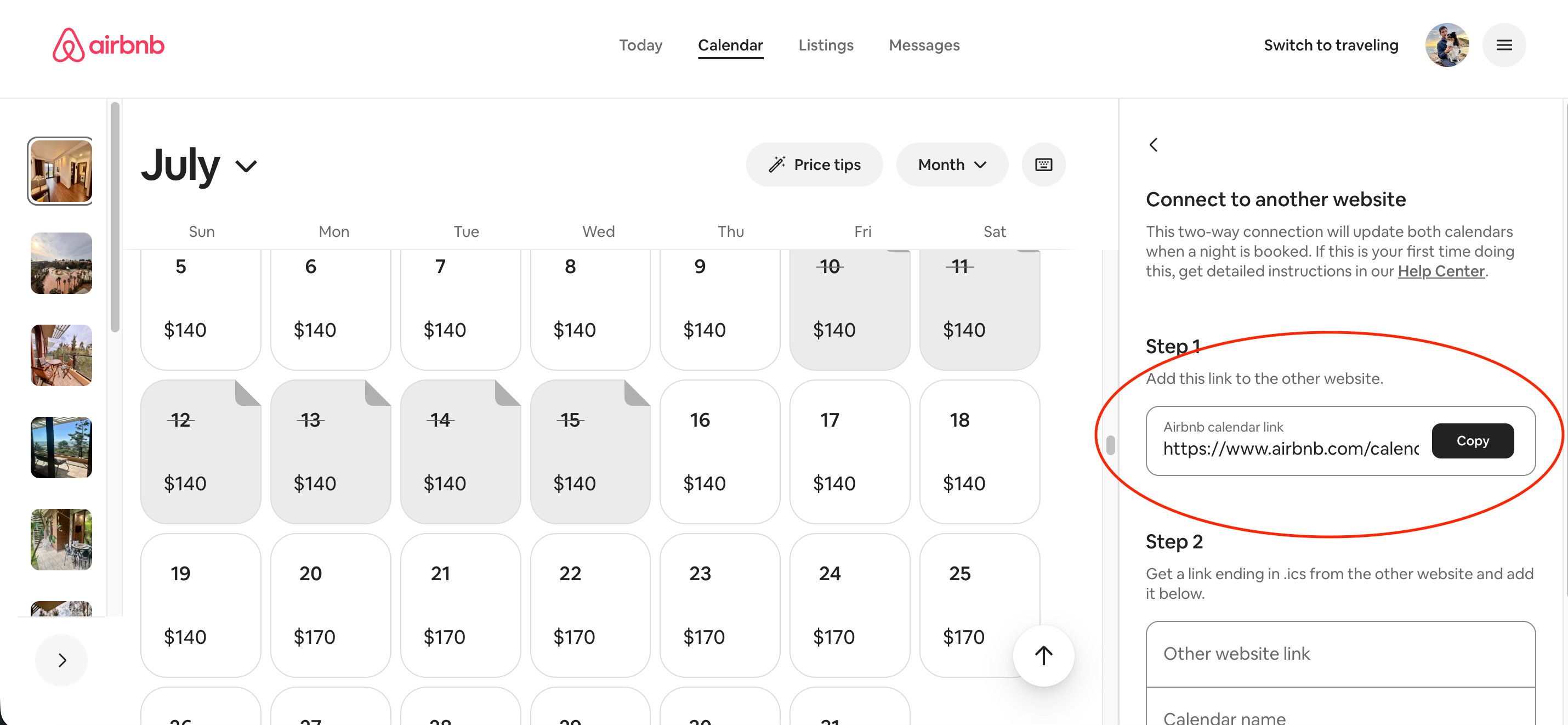
Airbnb → Calendar → select listing → Connect calendars → Connect to another website
Copy the Airbnb calendar link
Under Step 1 - Add this link to the other website, you will see your Airbnb calendar link ending in .ics. Click Copy. This is the link Hosta needs. You can ignore Airbnb's Step 2 - Hosta only needs to read your bookings, not send anything back.
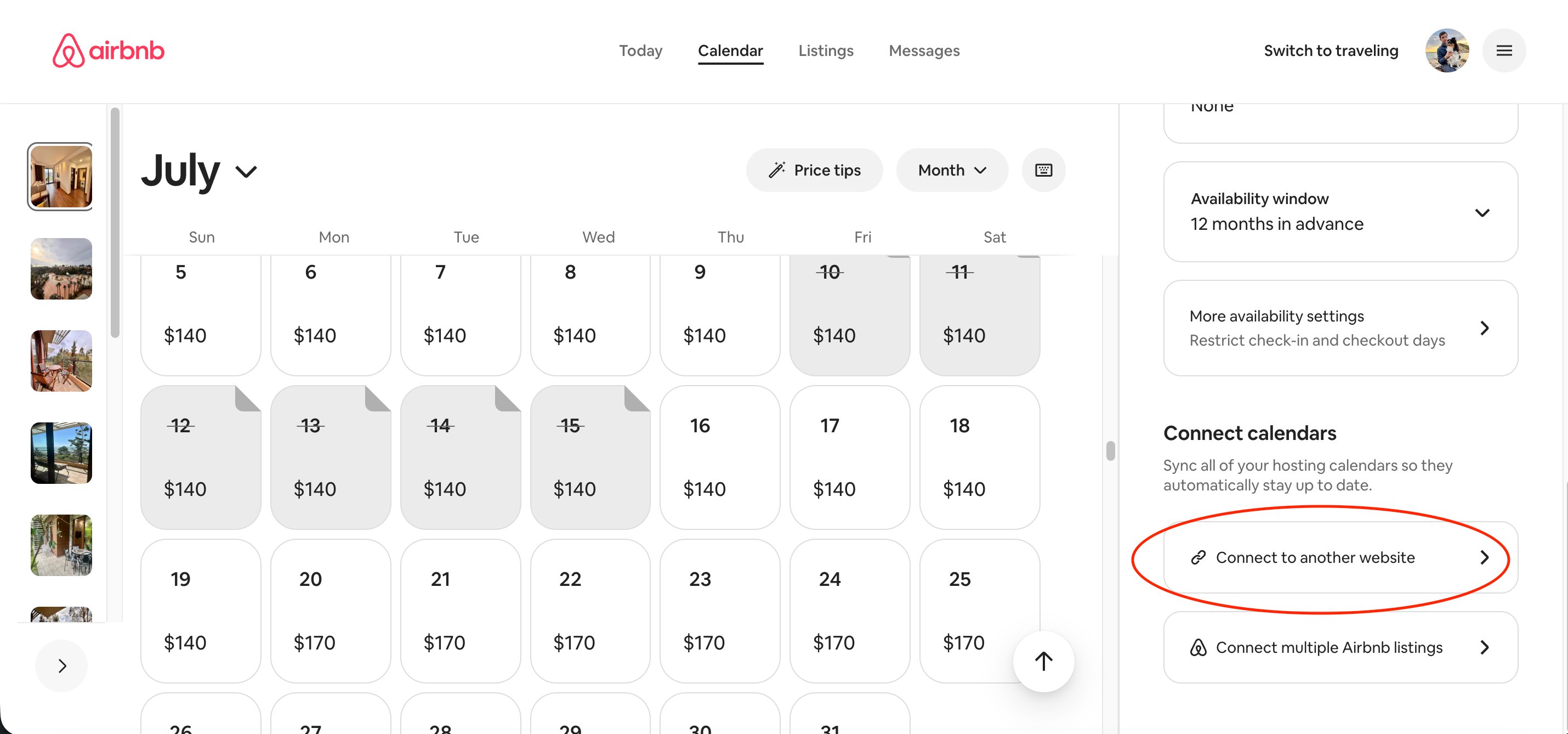
Copy the link that ends in .ics
Paste the link into Hosta
Open Hosta on your phone, go to the property, and tap the pencil (Edit) icon in the top right. Scroll to Calendar Sync (iCal) and paste the link into the Airbnb field. Tap Save.
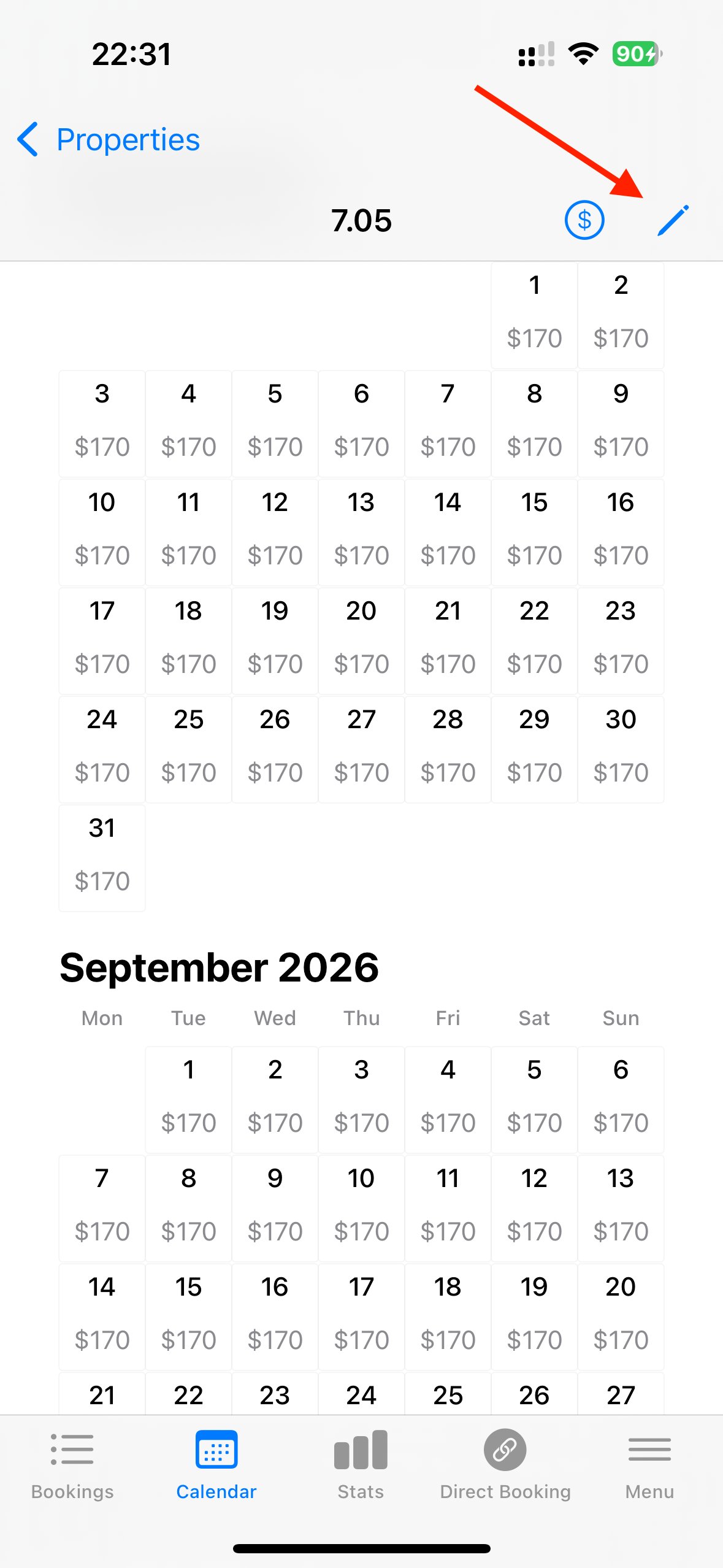
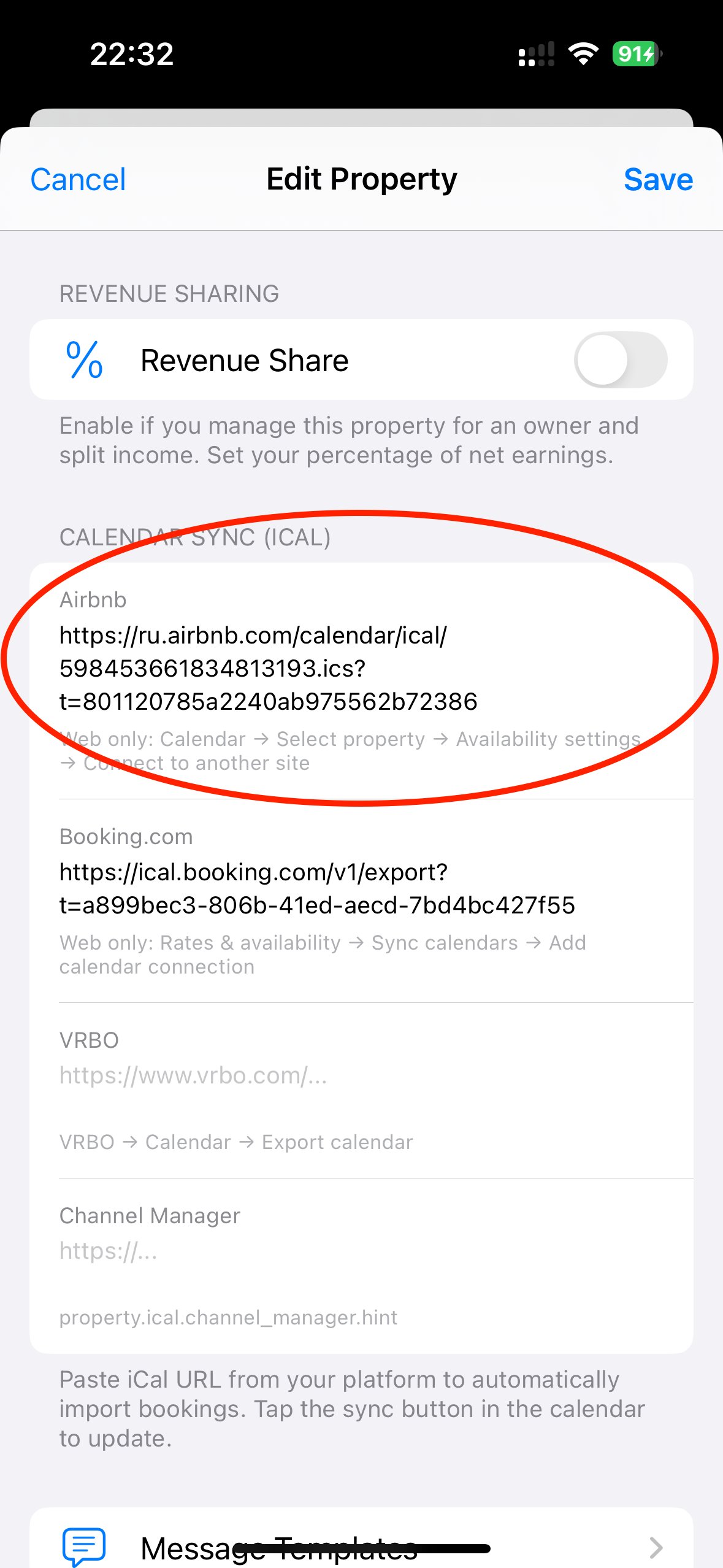
Hosta → property → Edit (pencil) → Calendar Sync (iCal) → Airbnb field
Sync and you're done
Go back to the calendar and tap the sync button. Your Airbnb reservations import automatically. From now on, every time you sync, new bookings appear in your combined Hosta calendar, and if any dates overlap with another platform, Hosta highlights the overbooking so you can act before a guest does.
You can repeat the same process for Booking.com and VRBO using their own iCal export links, so every platform feeds into one calendar.
Frequently asked questions
Why can't I find the iCal link in the Airbnb app?
Airbnb only shows the calendar export link on the desktop website, not in the mobile app. Open airbnb.com in a browser, go to Calendar, select your listing, then Connect to another website.
How often does the Airbnb calendar sync update?
iCal sync is never instant on any platform. Airbnb refreshes its exported calendar every few hours, so there is always a small delay. This is exactly why a single combined calendar with overbooking alerts is worth having.
Will syncing import blocked dates as fake bookings?
In Hosta, no. Hosta only imports real reservations from Airbnb and ignores blocked or unavailable dates, so your calendar stays clean with no phantom bookings.
Does iCal sync change anything on Airbnb?
No. The link Hosta uses is read-only. Hosta reads your bookings to show them in one place, but never sends data back to Airbnb or touches your listing.